Publishing Content
The Production (Live) website will only display content that has been marked as Published in Storyblok.
Interactive publishing is controlled by a workflow that starts in the Draft stage.
In order to Publish the content you need to set the workflow stage to Ready to Publish using the Workflow panel on the right of the screen.
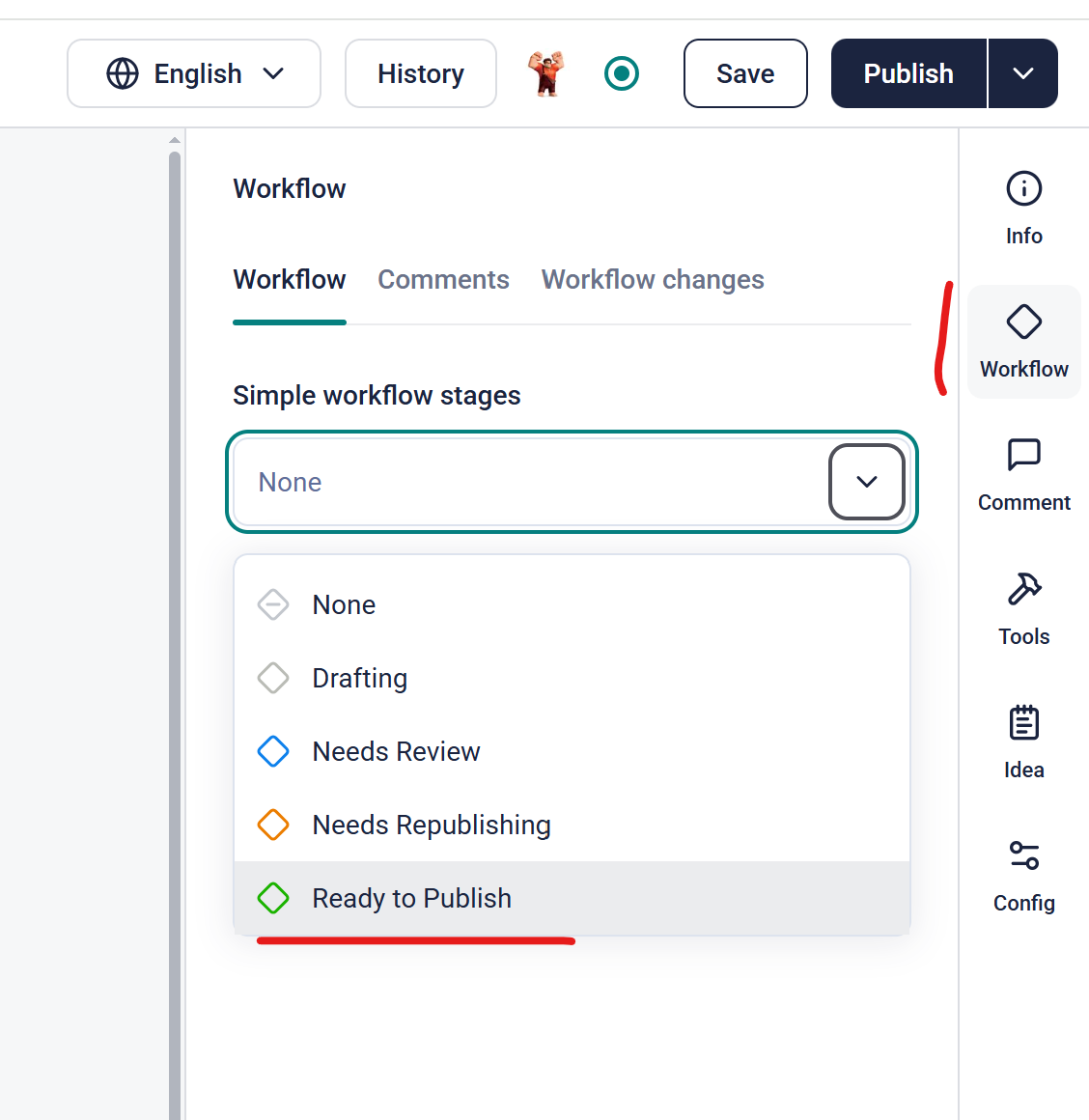
Once the Interactive is in Ready to Publish, you can click on the Publish button (top right) and the content will be available to deploy.
Published content won't actually go live until a Build process is run.
The Build process takes content - text, images and video - and copies it to the Museum's internal network and compresses it into static HTML. This makes the Interactive load faster and is stable should the CMS be unavailable.
Building is an automated process that needs to be manually triggered.
Building is done with a service called Jenkins which is available at
https://build-web.aucklandmuseum.com/
You will need a login to access Jenkins.
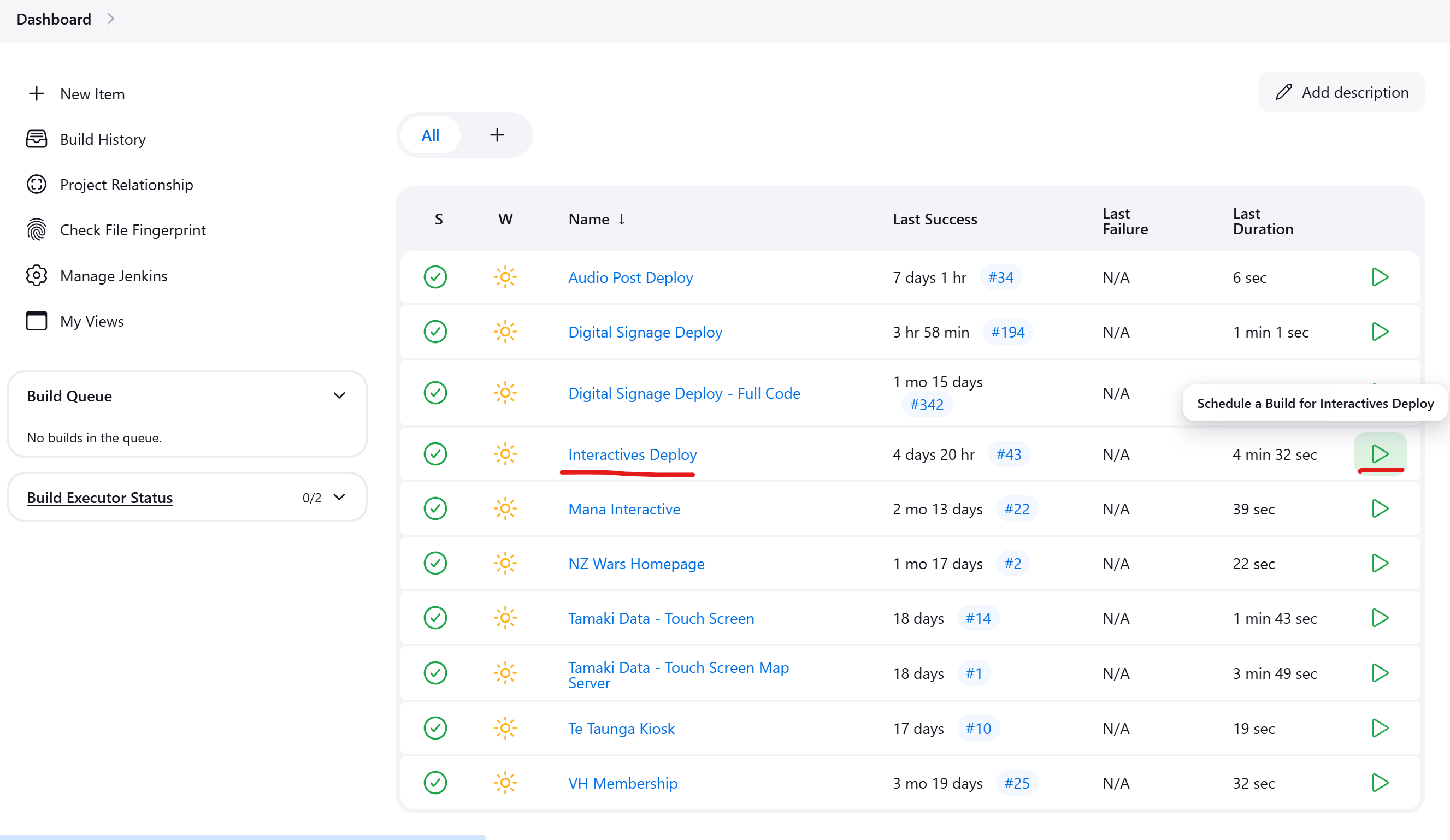
 Once you're logged in you'll see a list of Jenkins Projects, each with a arrow on the right of the screen.
Clicking on the Interactives Deploy green arrow will build ALL Published interactive content.
For this reason, if you have content that is not ready for Production, you should only Save the content - not Publish it.