
Laying out the grid
Once you have added items to the Kentico site tree as children of the grid page, you can go back to the grid page and you'll see the items laid out in blocks in a grid.
Each block has handles on the sides so you can resize them.
You can move the block around the page and drop it where you want. Other blocks will move out of the way when you do this and you will see it update as you move things around.
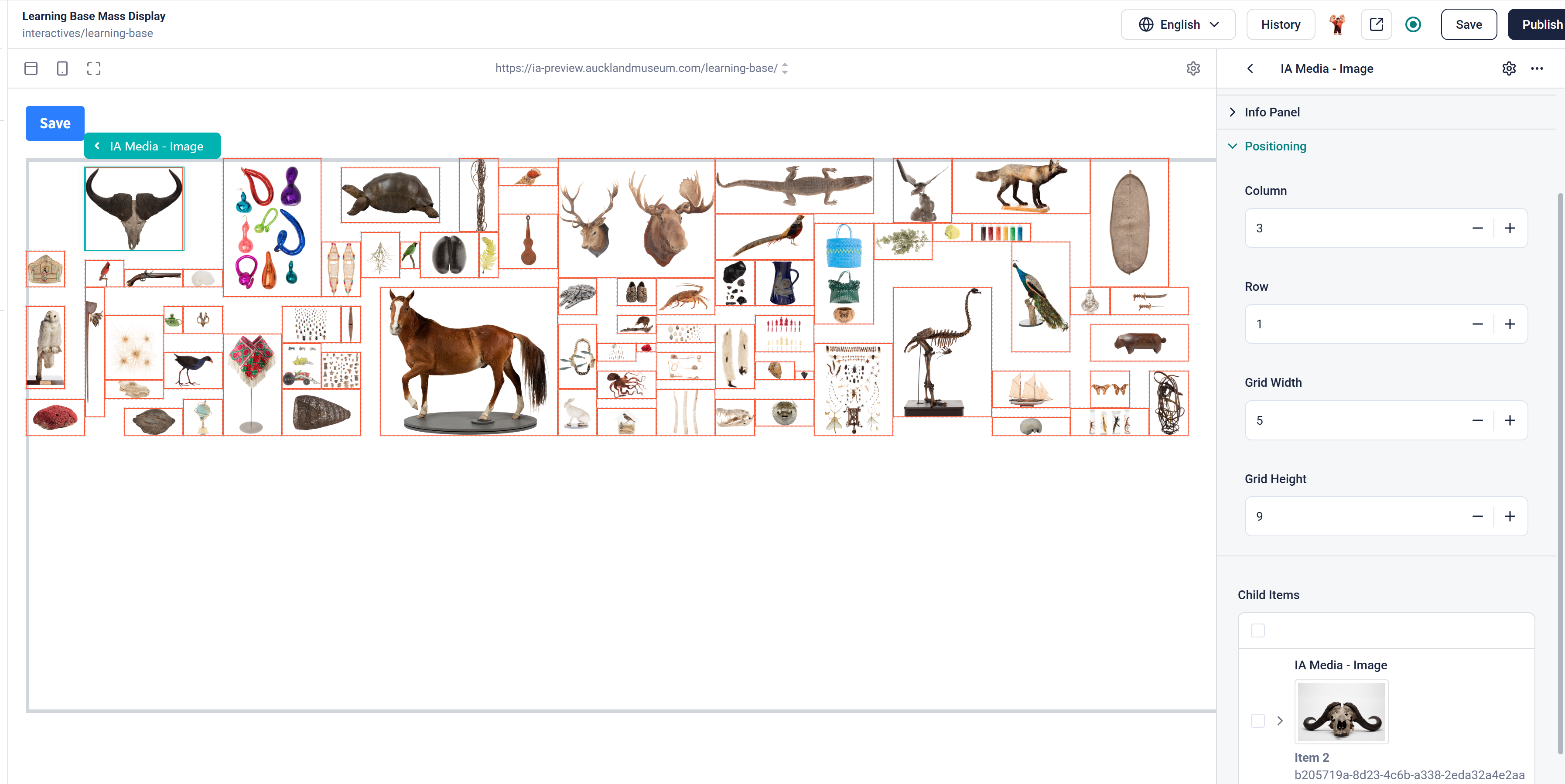
Once you are happy - or whenever you need to, click on the Save button in the top left and it will update all the items to save their place in the grid.
The Save button will update the Position panel information for each item. You can manually edit the position information too. This can be faster when you only have a few items in the grid and they are all the same size.
IMPORTANT
After you click on Save and it reports that the information is saved, refresh the entire page in your browser. This ensures Storyblok is kept in synch with the data. Otherwise you will get an error saying the information is out of date and you may lose changes.